 Mini-Module

Summary
The Windows Memory Forensics module is designed for
- Cybersecurity analysts, - Digital forensics professionals, - IT professionals interested in forensic analysis, and
- Students pursuing careers in digital forensics or cybersecurity. Throughout this module, students will develop
- Proficiency in Windows Memory Forensics techniques, - Ability to analyze digital evidence effectively, - Mastery of advanced tools and methodologies, - Enhanced skills in forensic investigations, and
- Understanding of memory analysis concepts and best practices.
Recommended prior knowledge:
-
Basic understanding of computer architecture
-
Familiarity with operating systems, particularly Windows
Introduction to Windows Memory Forensics
In the ever-evolving landscape of the digital world, cybersecurity and forensics have become more critical than ever. In this dynamic environment, Memory Forensics" has emerged as an indispensable tool for investigating cybercrimes and security breaches. The development of memory forensics capabilities on Windows operating systems has provided professionals with the ability to identify, analyze, and respond to these threats more effectively.
Memory forensics refers to the detailed examination of a system's physical memory (RAM) and is critical to understanding the current state of a computer or what operations it has performed in the past. In situations such as system crashes, malware attacks, or other security breaches, data stored in RAM can contain vital information. The Windows Memory Forensics module provides a comprehensive understanding of how to access, analyze, and report on this valuable data.
Windows memory forensics involves retrieving data from memory on on-site or remote systems, performing memory analysis using available tools and techniques, and processing and interpreting the results according to digital forensics standards. This process often helps to uncover critical data in a variety of scenarios, such as when processes contain malware, extracting encryption keys from memory, gathering transaction information, and monitoring other user activity. To be effective and successful, forensic analysts must understand the memory structures and processing mechanisms specific to the Windows operating system.
Required Tools
In this Windows memory forensics module, the AccessData FTK Imager is used to capture a memory dump, and Volatility3 tools are used to analyze the memory dump. The purpose and installation of these tools are provided below.
AccessData FTK Imager
AccessData FTK Imager is an industry-standard software product that provides digital forensic professionals with a powerful suite of tools. It allows users to create, examine, and analyze data images from a variety of media and file systems, including hard drives, USB sticks, CD/DVDs, SAN, RAID, Jaz/Zip disks, and even RAM. Images created with FTK Imager allow for detailed examination of digital evidence while preserving its integrity. This is critical in forensic processes because the admissibility of the data as evidence in court depends on how it was collected and processed.
The FTK Imager has an easy-to-use interface that saves forensic experts time and effort in collecting, analyzing, and reporting digital evidence. With the ability to open image files, view their contents, and extract critical data, the software helps users complete their work quickly and efficiently. In addition, FTK Imager has the ability to verify file integrity using MD5 and SHA1 hash values, which plays an important role in proving the integrity and authenticity of the data collected.
The installation of Volatility3 on Windows Server 2019 can be done as shown in the screenshot below:
The installation file can be obtained by filling out the form at the following address:
https://www.exterro.com/digital-forensics-software/ftk-imager
Note : Since the installation steps are simple, they will not be listed in detail.
In short, the installation steps are as follows:
-
Launch the installation wizard.
-
Accept the license agreement.
-
Choose the installation directory.
-
The installation is completed.
After the installation, you can open the application and start using it.
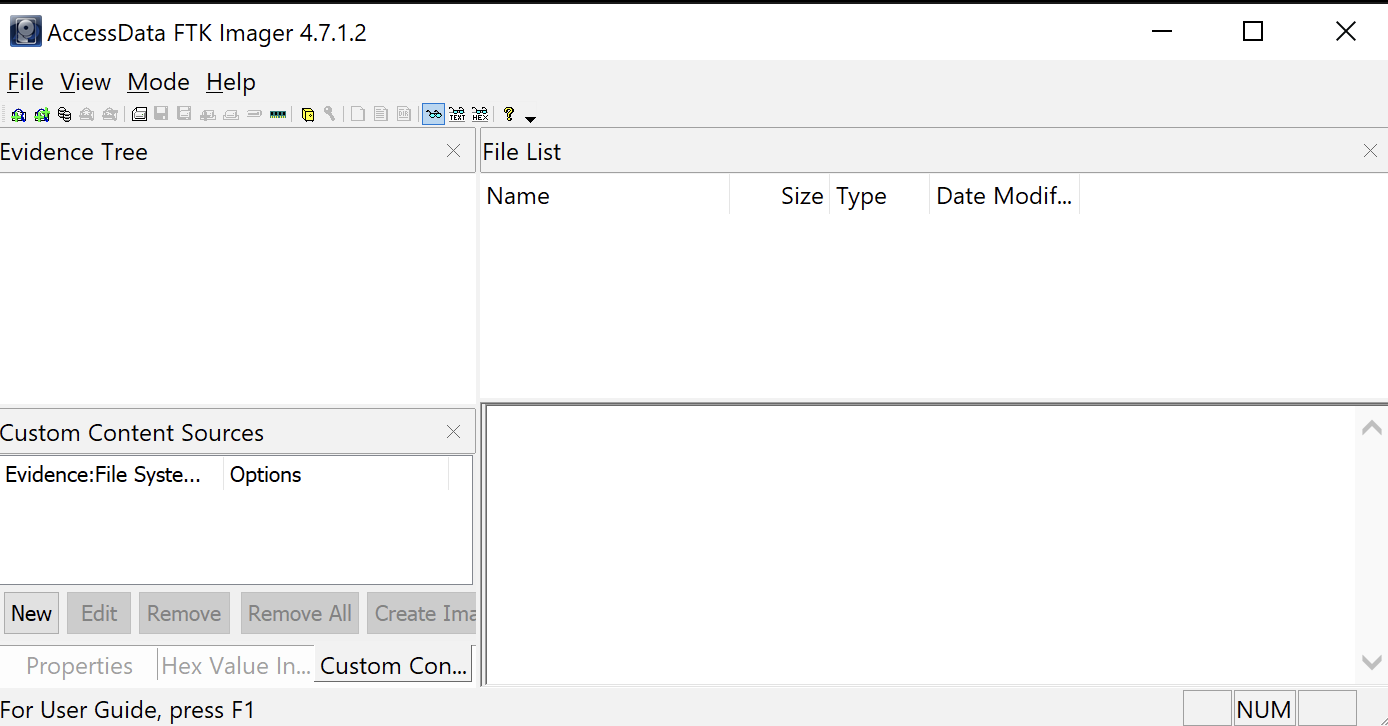
We will discuss image acquisition with the AccessData FTK Imager in the next section.
Volatility3
Volatility is an open-source memory analysis application. It is available for both Linux and Windows environments. Volatility is a powerful tool for analyzing the information contained in the RAM of operating systems. Compatible with a wide range of operating systems and memory dump formats, Volatility provides a comprehensive framework for memory analysis. It is written in Python and has an extensive library of plug-ins.
Volatility is used to analyze memory dumps obtained with tools such as LiME. It allows users to list DLLs, processes in RAM, network connections, open files, registry keys, and more. It can also be used to detect malware, search for hidden code, and analyze general user activity on the system. Volatility is one of the most widely used memory forensics tools and is essential for performing detailed memory analysis.
Volatility3 can be installed on Windows Server 2019, as shown in the screenshot below:
Note : Python3 or a higher version of Python must be installed on the system to use Volatility3.
First, install python3.
Note: This section does not describe the installation process in detail, as it consists of simple steps.
After having installed Python, please check the version:

Install the Python "snappy" module. You can download the built version from: https://pypi.org/project/python-snappy/#files
To install, use the following command:
pip install .\python_snappy-0.7.1-py3-none-any.whl

Then download Volatility3.
Download Volatility3 : https://github.com/volatilityfoundation/volatility3/releases/tag/v2.5.2
The contents of the “requirements.txt” file located in the Volatility installation folder must be installed before using Volatility. Use the following command to install:
pip install -r .\requirements.txt

To verify that the Volatility tool has been successfully installed, use the following command:
python.exe .\vol.py -h
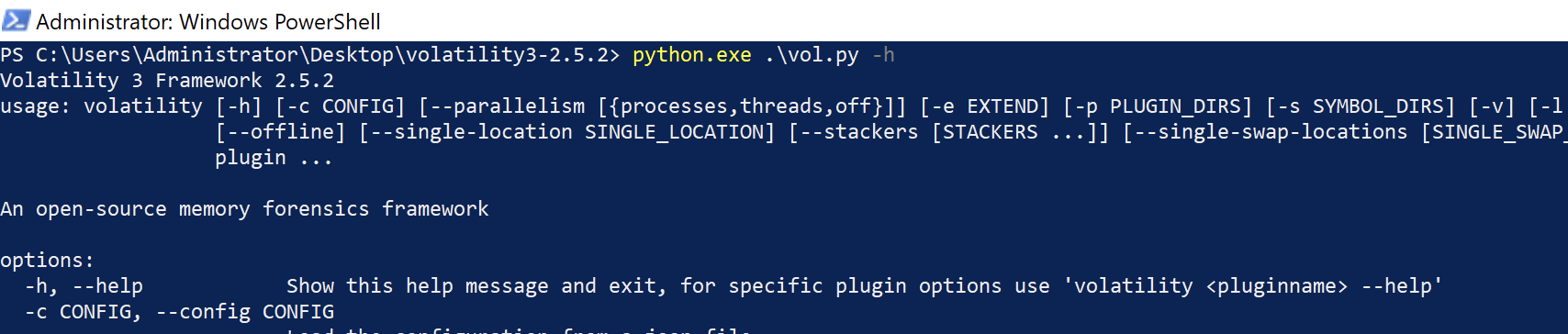
This section covered installing the necessary tools. We will discuss analyzing the received memory image in the next section.