Mini-Module

Summary
The Log Analysis with Sysmon module provides structured coverage of essential concepts and techniques in Log Analysis with Sysmon. The module covers topics including Detecting Mimikatz with Sysmon, Detecting Pass The Hash with Sysmon, Detecting Privilege Escalation with Sysmon, Introduction and Set Up of Sysmon.
Recommended prior knowledge:
- General understanding of cybersecurity concepts
Introduction and Set Up of Sysmon
1. Introduction
One of the most essential activities of information systems is to keep a log record. Thanks to the log records, it is possible to find out when, how, and from where an attack on the system was made.
Throughout the article, the use of the Sysmon tool developed by Microsoft and the analysis of several types of attacks frequently seen in Windows operating systems will be introduced.
2. Sysmon
Sysmon (system monitor) is a tool developed by Microsoft that records the activities on the system it is installed on.
2.1. Setup
Sysmon: https://docs.microsoft.com/en-us/sysinternals/downloads/sysmon.
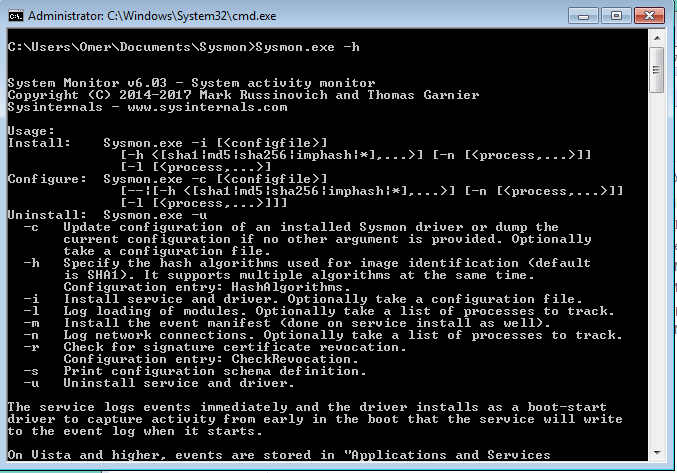
Then, by going to the directory where the downloaded file is located with “cmd”, the installation is done in default settings with the command Sysmon.exe -i -accepteula.
2.2. Configuration
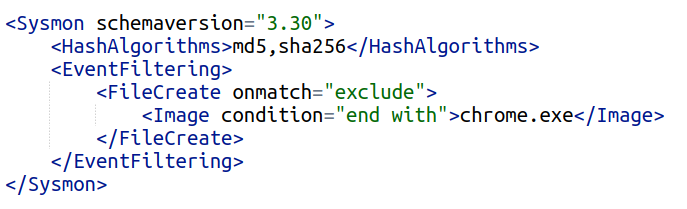
When Sysmon is installed, it installs with its own default configuration file. However, it is also possible for the user to create their own configuration file. Sysmon uses XML file format for configuration.
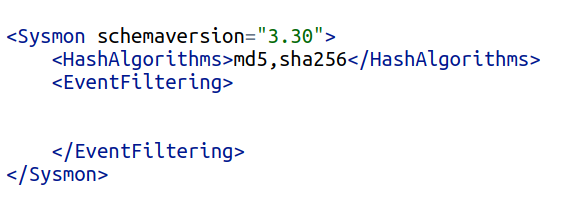
There are 2 main sections for the configuration file : HashAlgorithms and EventFiltering.
Processes created in the HashAlgorithms section are used to specify which hash algorithms to use, while EventFiltering is used to identify specifically monitored or excluded events.
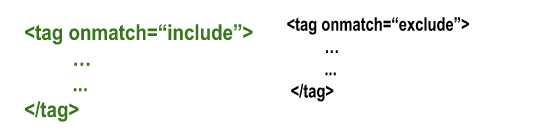
The following patterns are used to include or exclude events. “include” statements are used to include and “exclude” statements are used to exclude.
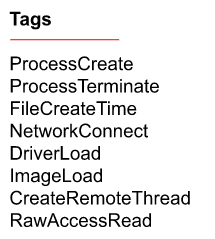
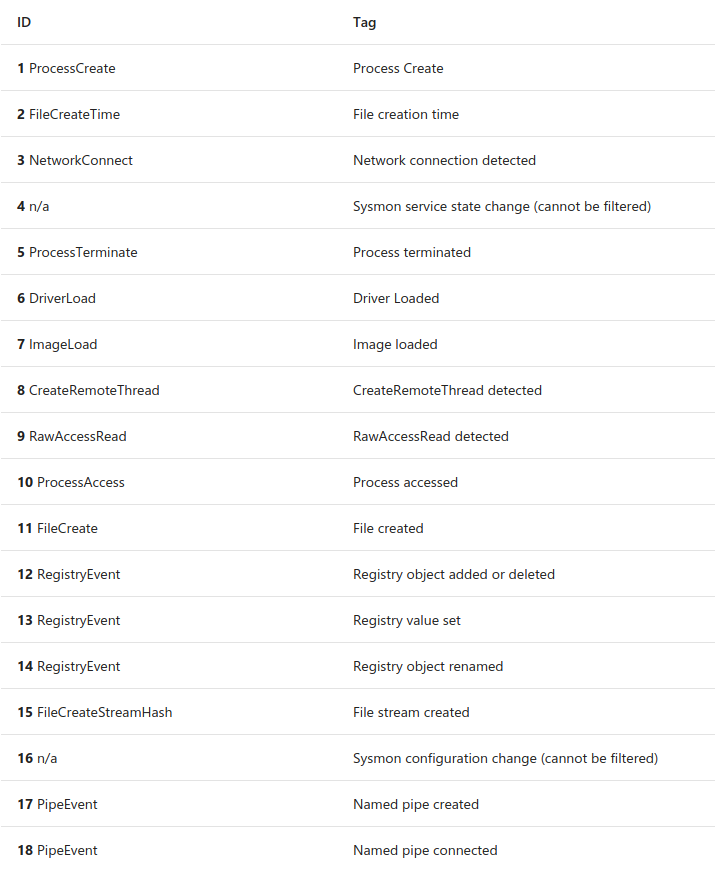
The tags used in filtering are indicated in the image below.
In the example below, Sysmon will not do any logging during the creation of the process.
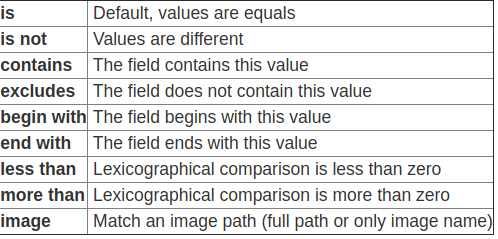
condition types and features:
2.3. Events
The records created by Sysmon can be accessed via Event Viewer by clicking Applications and Services Logs/Microsoft/Windows/Sysmon/Operational.
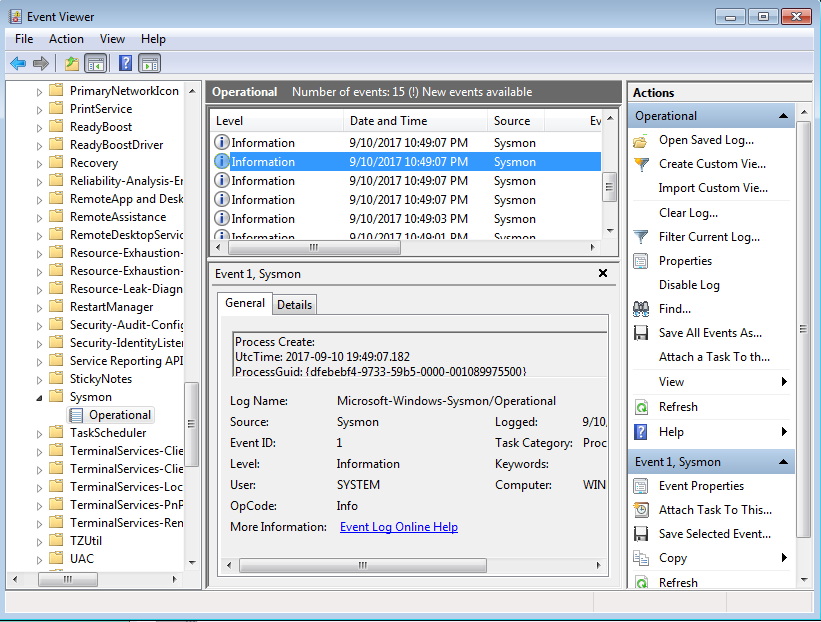
The meanings of the Event IDs in the records are provided in the image below.
2.4. Hashes
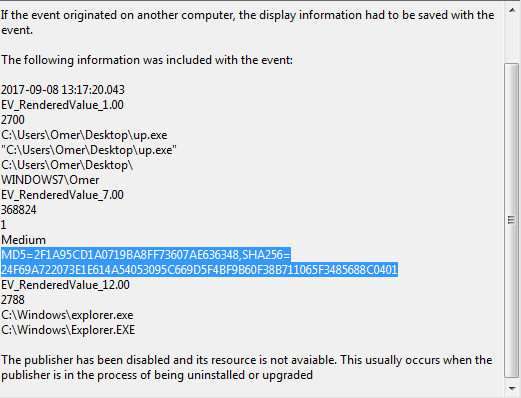
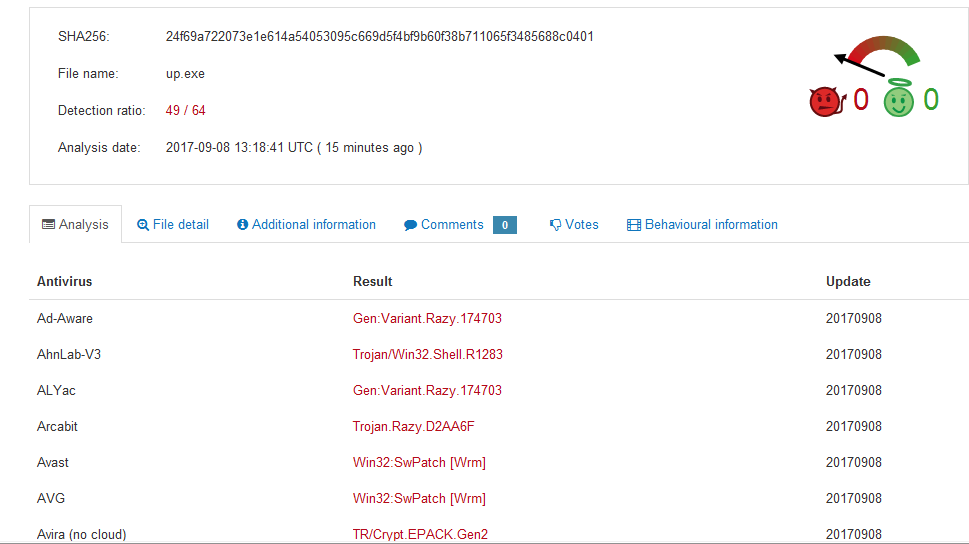
Most records show the hash values of the process. If a suspicious record is seen, the relevant hash can be searched through sites such as virustotal.